

C-THR81-2405 Exam Dumps Pass with Updated 2025 Certified Exam Questions
C-THR81-2405 Exam Questions - Real & Updated Questions PDF
NEW QUESTION # 34
What actions can you initiate from the Position Org chart? Note: There are 3 correct answers to this question.
- A. Add a lower-level position
- B. Mass copy positions
- C. Nominate a successor for a position
- D. Create a job requisition for a vacant position
- E. Run a mass change to update positions
Answer: A,B,D
Explanation:
From the Position Org Chart in SAP SuccessFactors Employee Central, users can initiate the following actions:
* A. Add a lower-level position:
* Users can create subordinate positions directly within the hierarchy to reflect organizational reporting structures.
* C. Create a job requisition for a vacant position:
* A job requisition can be initiated for positions marked as vacant, streamlining the hiring process by linking positions to recruiting functionalities.
* E. Mass copy positions:
* This action allows for the duplication of multiple positions, facilitating quick setup of similar roles across the organization.
These features enhance the efficiency of managing the organizational structure and workforce planning.
NEW QUESTION # 35
Which action in the THEN statement is used for propagation?
- A. Raise
- B. Set
- C. Create
- D. Execute
Answer: B
NEW QUESTION # 36
You have updated several position departments using Import and Export data, but the incumbent's data still shows the previous information for the department hris-field.
What are some possible causes for this data inconsistency? Note: There are 2 correct answers to this question.
- A. The technicalParameters value has NOT been set to SYNC in the position records.
- B. The technicalParameters column with a value of SYNC has NOT been included in the import file.
- C. The business rule to sync data changes sets the Position Department to be equal to Job Information.
Department. - D. The business rule to sync data changes sets the Job Information.Department to be equal to Job Information.Position.Department.
Answer: B,C
Explanation:
* B. The technicalParameters column with a value of SYNC has NOT been included in the import file:
* When importing position data, thetechnicalParameterscolumn with the value "SYNC" must be included to ensure that changes to position attributes are synchronized to the incumbent's data.
* C. The business rule to sync data changes sets the Position Department to be equal to Job Information.Department:
* If the rule is incorrectly configured, the department field on the incumbent's job information may not update as expected. The correct configuration should align the position department with the incumbent's job information.
These factors contribute to discrepancies between position and incumbent data.
NEW QUESTION # 37
In which cases should the value for CREATE Respects Target Criteria be set to Yes in the Position object definition? Note: There are 2 correct answers to this question.
- A. To restrict access to create positions from Manage Positions
- B. To restrict access at the field level when creating positions
- C. To restrict access to create positions based on the granted user's target population
- D. To restrict access to create lower-level positions from the Position Org Chart
Answer: C,D
NEW QUESTION # 38
Which destination objects do you select for the Valid When and Composite associations? Note: There are 2 correct answers to this question.
- A. Valid When association - Lower level object
- B. Valid When association - Higher level object
- C. Composite association - Child object
- D. Composite association - Parent object
Answer: B,D
NEW QUESTION # 39
Which condition must be used for the jobinfo_FTE_Comp rule?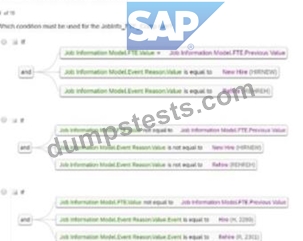
- A. Option D
- B. Option B
- C. Option A
- D. Option C
Answer: A
NEW QUESTION # 40
You have a global customer who has legal entities In multiple countries The customer wants to empower employees and managers to use the system, so they have decided to implement Employee Seif-Service and Manager Self-Service The customer also has payroll integration with different systems, and for some countries, the data is manually maintained In the payroll system The requirements are as follows
* Employees should be able to update their Personal information, including Last Name. Marital Status, and Nationality fields
* Managers should be able to update Job information on the employee's profile but limited only to Location. Cost Center. Probation Period. Probation Period Start Date, and Probation Period End Date
* Only HR admins should have access to approve the workflows, and the manager should only get CC notifications for Personal Information (Name. Marital Status, and Nationality change) For all other changes, the manager should not get any information or notification
* HR admins should be able to change Personal Information as well as Employment information, and the HR Business Partner needs to approve these If the HR admin needs to change the Compensation Information approval will need to be granted by their own manager
* For one country, there needs to be another approval from the data team who will manually maintain the payroll system.
The table below summarizes the permissions for each role: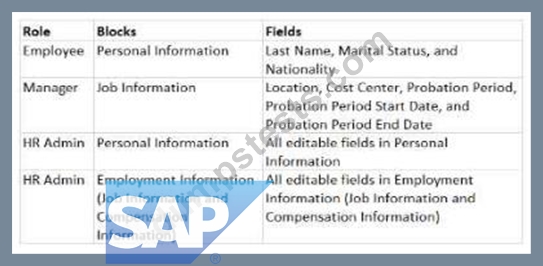
An employee will be changing their nationality information on their own. How do you build the IF condition in the business rule so they can do this?
A)
B)


- A. Option B
- B. Option D
- C. Option A
- D. Option C
Answer: D
NEW QUESTION # 41
The HR admin has to change the salary of an employee, which will trigger a workflow for the employee's manager. The employee's manager should be able to edit the transaction if the proposed amount is NOT correct.
Where in the workflow do you need to define this?
Refer to the screenshot to answer the question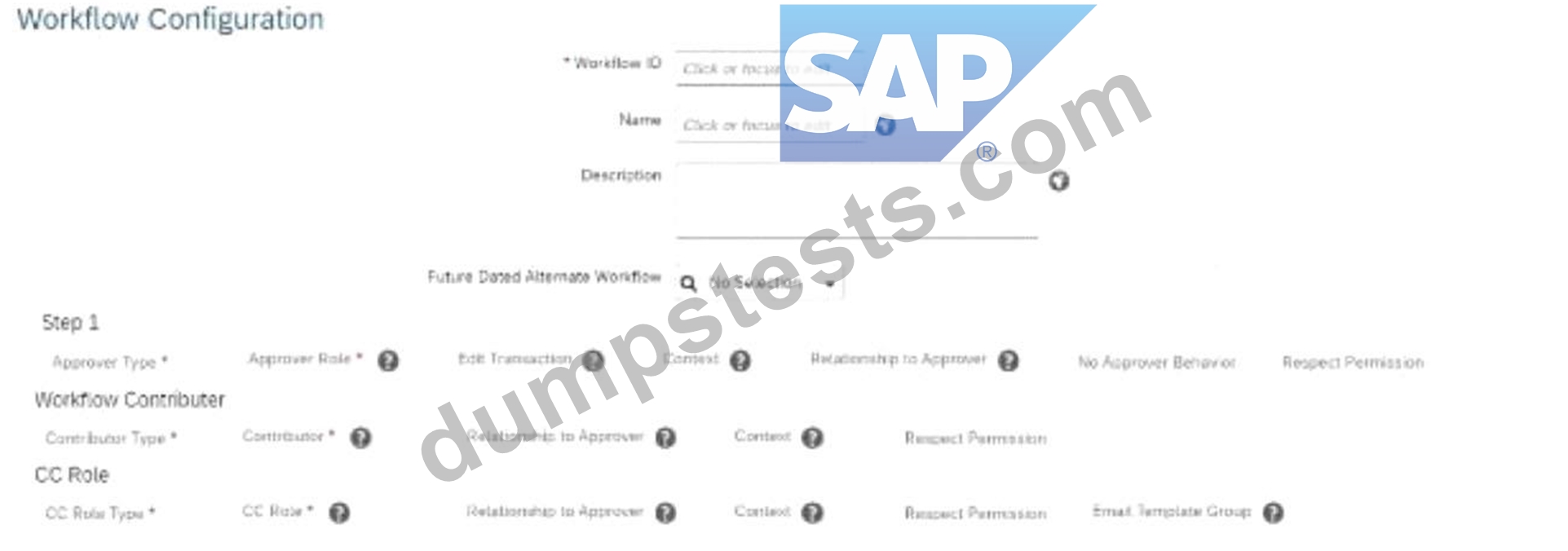
- A. Edit Transaction
- B. No Approver Behavior
- C. Respect Permission
- D. Context
Answer: A
Explanation:
To allow the employee's manager to edit a transaction in a workflow if the proposed salary change is incorrect, you must configure the"Edit Transaction"setting in the workflow.
* The"Edit Transaction"option is part of the workflow configuration in Step 1 (as shown in the screenshot).
* When enabled, it allows the approver (in this case, the manager) to make adjustments to the transaction before approving it.
Scenario 2: Approvals for Self-Service
NEW QUESTION # 42
Due to confidentiality reasons, when the HR Business Partner (maintained in Job Relationship) is creating a change in salary for an employee, this action will need to be approved by the manager of the HR Business Partner creating the request.
How do you define this in the workflow when filling in the Approver Type, Approver Role, Context, and Relationship to Approver? Refer to the screenshot to answer the question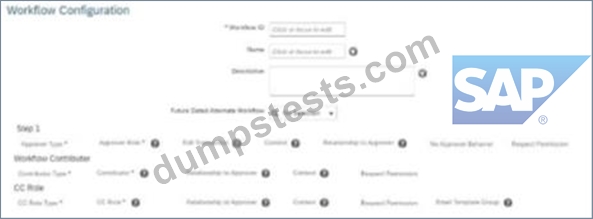
- A. By selecting in Step 1: Role - Manager - Source - Initiator
- B. By selecting in Step 1: Role - Employee HR - Source - Employee
- C. By selecting in Step 1: Role - Employee HR-Source- Initiator
- D. By selecting in Step 1: Role - Self-Source - Initiator
Answer: A
NEW QUESTION # 43
An employee will be changing their nationality information on their own How do you build the IF condition in the business rule so they can do this?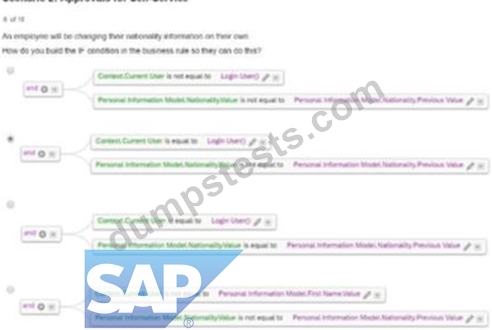
- A. Option B
- B. Option D
- C. Option A
- D. Option C
Answer: A
NEW QUESTION # 44
Which steps are required to set up the Auto Delegation feature for a workflow in Employee Central?
Note: There are 2 correct answers to this question.
- A. Enable the field in Succession Data Model.
- B. Enable the auto-delegate permission for users.
- C. Enable the field in the Corporate Data Model.
- D. Define the delegate relationship in Employee Central.
Answer: B,D
NEW QUESTION # 45
Which rule can effectively catch all unspecified events in a transaction?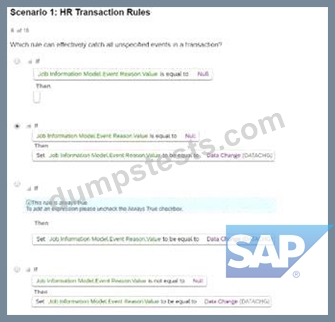
- A. Option B
- B. Option D
- C. Option A
- D. Option C
Answer: A
Explanation:
The rule inOption Beffectively captures all unspecified events in a transaction because:
* It sets theEvent Reason Valueto "Data Change" whenever the Event Reason Value isnull.
* This ensures that all unplanned or unspecified events are assigned a default action, which is crucial for maintaining data consistency and avoiding errors during transactions.
Scenario 1: HR Transaction Rules
NEW QUESTION # 46
Which action will trigger a system validation for an in-progress workflow?
- A. Adding a new employee
- B. Rehiring an inactive employee
- C. Updating Job Information with the same effective date
- D. Terminating an employee
Answer: D
NEW QUESTION # 47
How do you set the event date in Compensation Information for the jobinfo_FTE_Comp cross-entity rule?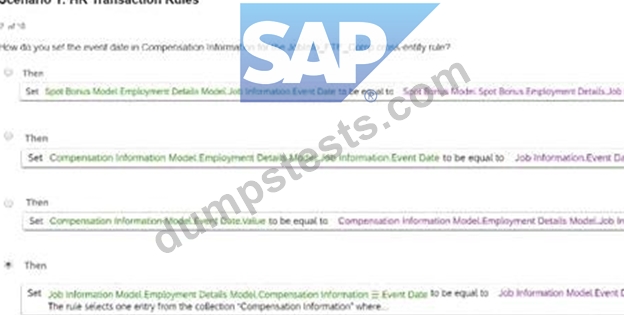
- A. Option D
- B. Option B
- C. Option A
- D. Option C
Answer: A
Explanation:
To set theevent datein Compensation Information for theJobinfo_FTE_Compcross-entity rule,Option Dis the correct method. The approach ensures that the Event Date field in the Compensation Information section aligns with the Event Date in Job Information. This synchronization is crucial for maintaining consistency in effective dates across entities during HR transactions.
Scenario 1: HR Transaction Rules
NEW QUESTION # 48
Which destination objects do you select for the Valid When and Composite associations? Note: There are 2 correct answers to this question.
- A. Valid When association - Lower level object
- B. Composite association - Parent object
- C. Valid When association - Higher level object
- D. Composite association - Child object
Answer: C,D
Explanation:
Valid When Association:
* This is used to define conditional relationships and is applied tohigher-level objects.
Composite Association:
* This is used to create parent-child relationships, where thechild objectis the destination.
NEW QUESTION # 49
Which method of modifying employee data will trigger an event reason derivation?
- A. Using Actions menu in People Profile
- B. Inserting a new record in history UI
- C. Using Add New Hire
- D. Deleting a record in history UI
Answer: A
Explanation:
Event Reason Derivation in SAP SuccessFactors Employee Central is triggered when changes are made to employee data through specific actions. Utilizing the "Actions" menu in the People Profile to update employee information initiates the Event Reason Derivation process. This mechanism automatically determines the appropriate event reason based on the nature of the data change.
In contrast, inserting a new record via the history UI, deleting a record in the history UI, or using the "Add New Hire" function does not trigger Event Reason Derivation. These actions either bypass the derivation process or involve scenarios where event reasons are manually selected.
Therefore, the correct answer is:
* B: Using Actions menu in People Profile
This approach ensures that event reasons are accurately derived and recorded in line with the configured business rules in SAP SuccessFactors Employee Central.
NEW QUESTION # 50
Your customer wants to create an association, with the requirement that one division can belong to many business units. What association do you need to build?
- A. A Composite association in the business unit object definition
- B. A Valid When association in the division object definition
- C. A Valid When association in the business unit object definition
- D. A Composite association in the division object definition
Answer: B
Explanation:
To create an association whereone division can belong to many business units, you must build aValid When association in the Division object definition.
* Valid Whenassociations define conditions under which an object (e.g., a Division) is valid for another object (e.g., a Business Unit).
* This setup supports the business rule that a single division may be linked to multiple business units while ensuring data integrity in the hierarchical structure.
NEW QUESTION # 51
......
Pass Guaranteed Quiz 2025 Realistic Verified Free SAP: https://www.dumpstests.com/C-THR81-2405-latest-test-dumps.html
Free SAP Certified Associate C-THR81-2405 Ultimate Study Guide: https://drive.google.com/open?id=1ivDFwQO0ZLBbtQnhPYIpyuDsHzG-GdUl